ASP.NET Core 9 MVC — Bölüm 5: Performans, Caching, Health Checks ve Production Deploy
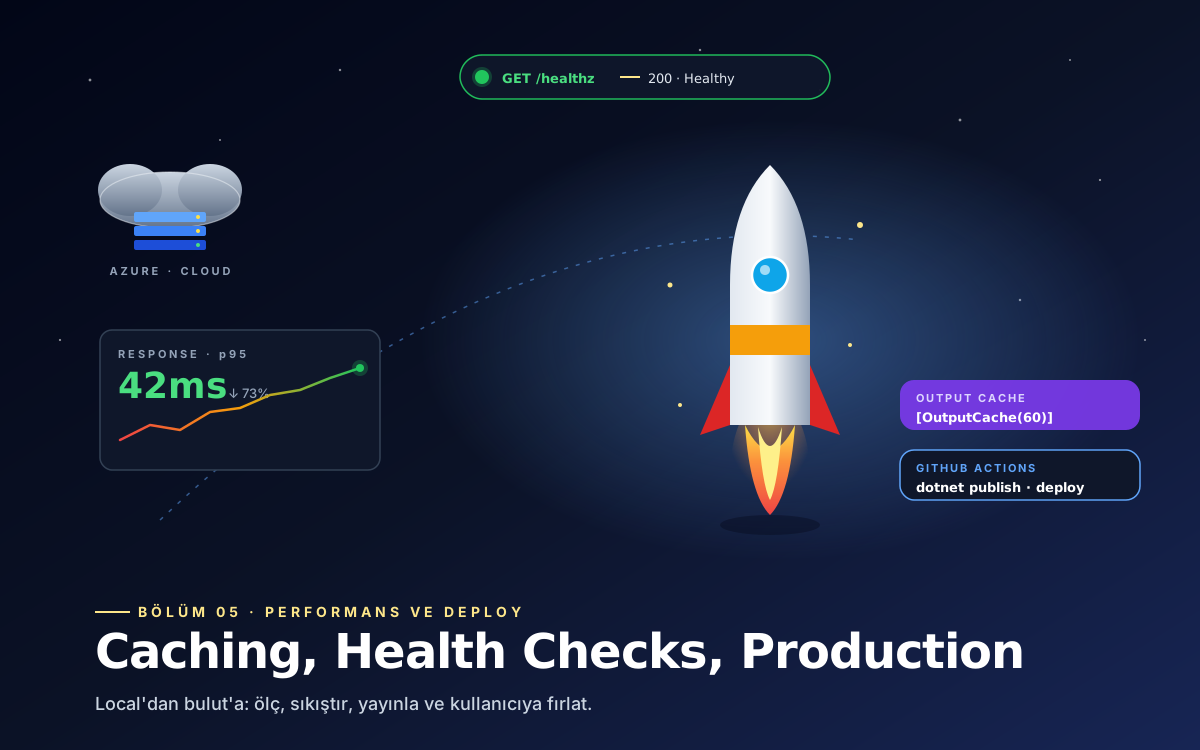
Serinin finali: output cache ve response caching, IMemoryCache, IDistributedCache + Redis, .NET 9 HybridCache, response compression, health checks, Serilog ile structured logging, Docker + docker-compose, Azure App Service ve IIS deploy, GitHub Actions CI/CD ve rate limiting — uygulamayı production-ready hale getiriyoruz.
Merhaba arkadaşlar, bu makalemizde ASP.NET Core 9 MVC serisinin son bölümüne geldik. Uygulamamız artık çalışıyor, veritabanı var, kullanıcılar giriş yapabiliyor. Şimdi sıra onu hızlı, izlenebilir ve production-ready hale getirmekte. Bu bölümde output cache, memory cache, distributed cache, response compression, Serilog ile yapılandırılmış loglama, health check'ler, Docker image, Azure App Service + IIS deploy ve GitHub Actions ile CI/CD'yi işleyeceğiz.
Response Caching — Eski Dost
En basit seviye, HTTP response caching. Ama browser'a güvenmeye dayalı, dağıtık senaryolarda kısıtlı:
// Program.cs
builder.Services.AddResponseCaching();

var app = builder.Build();
app.UseResponseCaching();

// Controller
[ResponseCache(Duration = 60, Location = ResponseCacheLocation.Any)]
public IActionResult Index() => View();
Output Caching — .NET 9'un Yeni Yıldızı
.NET 7 ile gelen ve 9 ile daha olgunlaşan output caching sunucu tarafında cache tutar, çok daha güçlü:
// Program.cs
builder.Services.AddOutputCache(options =>
{
    options.AddBasePolicy(b => b.Expire(TimeSpan.FromMinutes(5)));

    options.AddPolicy("KategoriListesi", b =>
        b.Expire(TimeSpan.FromMinutes(30))
         .Tag("kategori"));

    options.AddPolicy("UrunDetay", b =>
        b.Expire(TimeSpan.FromMinutes(10))
         .SetVaryByRouteValue("slug")
         .Tag("urun"));
});

var app = builder.Build();
app.UseOutputCache();

// Controller
[OutputCache(PolicyName = "KategoriListesi")]
public async Task<IActionResult> Kategoriler() => View(await _servis.GetirAsync());

[OutputCache(PolicyName = "UrunDetay")]
public async Task<IActionResult> Detay(string slug) => View(...);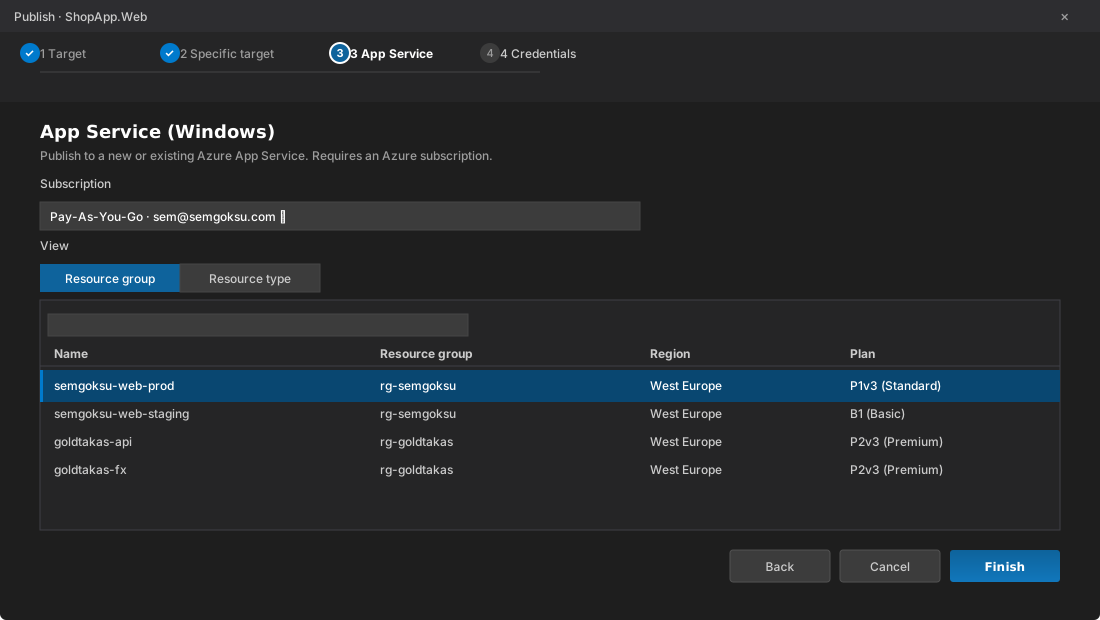
Visual Studio'dan: Visual Studio tarafinda projeye sag tiklayip Publish dediginizde acilan sihirbazla Azure'a tek tikla deploy yapabilirsiniz. Profili kaydedince sonraki seferlerde tek butonla yayinlarsiniz.
En güzel tarafı tag-based invalidation — cache'i spesifik tag üzerinden temizleyebiliyoruz:
public class UrunServisi(IOutputCacheStore cacheStore, ...) : IUrunServisi
{
    public async Task GuncelleAsync(int id, UrunGuncelleDto dto, CancellationToken ct)
    {
        // ... DB guncelleme
        await _ctx.SaveChangesAsync(ct);

        // ilgili cache'leri temizle
        await cacheStore.EvictByTagAsync("urun", ct);
    }
}
IMemoryCache — Uygulama İçi Cache
In-memory, hızlı, tek-sunucu senaryolarda ideal:
// Program.cs
builder.Services.AddMemoryCache();

// Servis
public class KategoriServisi(IMemoryCache cache, AppDbContext ctx) : IKategoriServisi
{
    private const string CacheKey = "kategori:tumu";

    public async Task<IReadOnlyList<KategoriDto>> TumunuGetirAsync(CancellationToken ct)
    {
        if (cache.TryGetValue(CacheKey, out IReadOnlyList<KategoriDto>? onbellek) && onbellek is not null)
            return onbellek;

        var liste = await ctx.Kategoriler
            .AsNoTracking()
            .Select(k => new KategoriDto(k.Id, k.Ad, k.Slug))
            .ToListAsync(ct);

        cache.Set(CacheKey, liste, new MemoryCacheEntryOptions
        {
            AbsoluteExpirationRelativeToNow = TimeSpan.FromMinutes(15),
            SlidingExpiration = TimeSpan.FromMinutes(5),
            Priority = CacheItemPriority.High,
            Size = 1
        });

        return liste;
    }

    public void Temizle() => cache.Remove(CacheKey);
}
IDistributedCache — Redis ile Çok-Sunucu Cache
Load-balanced ortamda veya container'larda cache'i paylaşmak gerekir. Redis klasik çözüm:
dotnet add package Microsoft.Extensions.Caching.StackExchangeRedis

// Program.cs
builder.Services.AddStackExchangeRedisCache(options =>
{
    options.Configuration = builder.Configuration["Redis:ConnectionString"];
    options.InstanceName = "SemGoksu:";
});

// Servis
public class UrunServisi(IDistributedCache cache, ...) : IUrunServisi
{
    public async Task<UrunDto?> GetirAsync(int id, CancellationToken ct)
    {
        var key = $"urun:{id}";
        var cached = await cache.GetStringAsync(key, ct);
        if (!string.IsNullOrEmpty(cached))
            return JsonSerializer.Deserialize<UrunDto>(cached);

        var urun = await _db.Urunler.FindAsync([id], ct);
        if (urun is null) return null;

        var dto = new UrunDto(urun.Id, urun.Ad, urun.Fiyat);
        await cache.SetStringAsync(key, JsonSerializer.Serialize(dto),
            new DistributedCacheEntryOptions
            {
                AbsoluteExpirationRelativeToNow = TimeSpan.FromMinutes(30)
            }, ct);

        return dto;
    }
}
.NET 9 ile gelen HybridCache — memory + distributed birlikte:
dotnet add package Microsoft.Extensions.Caching.Hybrid

builder.Services.AddHybridCache();

public class UrunServisi(HybridCache cache, AppDbContext ctx) : IUrunServisi
{
    public async Task<UrunDto?> GetirAsync(int id, CancellationToken ct)
    {
        return await cache.GetOrCreateAsync(
            $"urun:{id}",
            async token =>
            {
                var u = await ctx.Urunler.FindAsync([id], token);
                return u is null ? null : new UrunDto(u.Id, u.Ad, u.Fiyat);
            },
            new HybridCacheEntryOptions
            {
                Expiration = TimeSpan.FromMinutes(30),
                LocalCacheExpiration = TimeSpan.FromMinutes(5)
            },
            cancellationToken: ct);
    }
}
HybridCache L1 (memory) ve L2 (distributed) cache'i otomatik birleştirir — genelde memory'den döner, memory'de yoksa Redis'ten, Redis'te de yoksa DB'den. Stampede protection (aynı anda gelen aynı isteklerin DB'yi dövmemesi) da built-in.
Response Compression
Static asset'ler ve JSON response'lar için gzip/brotli compression:
builder.Services.AddResponseCompression(options =>
{
    options.EnableForHttps = true;
    options.Providers.Add<BrotliCompressionProvider>();
    options.Providers.Add<GzipCompressionProvider>();
    options.MimeTypes = ResponseCompressionDefaults.MimeTypes
        .Concat(new[] { "application/json", "text/css" });
});

builder.Services.Configure<BrotliCompressionProviderOptions>(o =>
    o.Level = CompressionLevel.Fastest);

// Middleware
app.UseResponseCompression();
Transfer boyutu bazen %80'e kadar düşer.
Health Checks — /healthz Endpoint'i
Load balancer ve orchestrator (Kubernetes, App Service) uygulamanın sağlıklı olup olmadığını nasıl anlayacak? Health check endpoint'i:
dotnet add package Microsoft.Extensions.Diagnostics.HealthChecks
dotnet add package AspNetCore.HealthChecks.SqlServer
dotnet add package AspNetCore.HealthChecks.Redis
dotnet add package AspNetCore.HealthChecks.UI.Client
builder.Services.AddHealthChecks()
.AddSqlServer(
connectionString: builder.Configuration.GetConnectionString("Default")!,
name: "sqlserver",
tags: new[] { "db", "ready" })
.AddRedis(
redisConnectionString: builder.Configuration["Redis:ConnectionString"]!,
name: "redis",
tags: new[] { "cache", "ready" })
.AddUrlGroup(
new Uri("https://api.disservice.com/health"),
name: "external-api",
tags: new[] { "external" });
var app = builder.Build();
// Liveness - uygulama ayakta mi?
app.MapHealthChecks("/healthz/live", new HealthCheckOptions
{
Predicate = _ => false // hic bir check calistirma, sadece HTTP 200 don
});
// Readiness - uygulama trafigi kabul edebiliyor mu?
app.MapHealthChecks("/healthz/ready", new HealthCheckOptions
{
Predicate = check => check.Tags.Contains("ready"),
ResponseWriter = UIResponseWriter.WriteHealthCheckUIResponse
});Kubernetes probe yapılandırması:
livenessProbe:
  httpGet:
    path: /healthz/live
    port: 8080
  initialDelaySeconds: 10
readinessProbe:
  httpGet:
    path: /healthz/ready
    port: 8080
  initialDelaySeconds: 15
  periodSeconds: 10
Serilog — Yapılandırılmış Loglama
Default logger yetmediğinde Serilog en popüler çözüm — JSON loglar, file sink, Seq/Elasticsearch entegrasyonu:
dotnet add package Serilog.AspNetCore
dotnet add package Serilog.Sinks.File
dotnet add package Serilog.Sinks.Seq
dotnet add package Serilog.Enrichers.Environment

// Program.cs
using Serilog;

Log.Logger = new LoggerConfiguration()
    .MinimumLevel.Information()
    .MinimumLevel.Override("Microsoft.AspNetCore", Serilog.Events.LogEventLevel.Warning)
    .Enrich.FromLogContext()
    .Enrich.WithEnvironmentName()
    .Enrich.WithMachineName()
    .WriteTo.Console()
    .WriteTo.File("logs/log-.txt", rollingInterval: RollingInterval.Day,
                   retainedFileCountLimit: 30)
    .WriteTo.Seq(builder.Configuration["Seq:Url"] ?? "http://localhost:5341")
    .CreateLogger();

builder.Host.UseSerilog();

var app = builder.Build();
app.UseSerilogRequestLogging(); // her HTTP request icin tek log satiri

try
{
    app.Run();
}
catch (Exception ex)
{
    Log.Fatal(ex, "Uygulama baslatilamadi");
}
finally
{
    Log.CloseAndFlush();
}
Controller'da veya servislerde structured logging:
public class UrunServisi(ILogger<UrunServisi> log) : IUrunServisi
{
    public async Task EkleAsync(UrunEkleDto dto)
    {
        // KOTU - string concatenation
        log.LogInformation("Urun eklendi: " + dto.Ad + " id: " + id);

        // IYI - structured, aranabilir
        log.LogInformation("Urun eklendi {Slug} {UrunId}", dto.Slug, id);
    }
}
Seq veya Elasticsearch gibi tool'lara attığınızda "UrunId = 42" filtresi çekebilirsiniz.
Docker'a Paketle
Multi-stage Dockerfile:
# Dockerfile
FROM mcr.microsoft.com/dotnet/aspnet:9.0 AS base
WORKDIR /app
EXPOSE 8080

FROM mcr.microsoft.com/dotnet/sdk:9.0 AS build
WORKDIR /src

COPY ["src/SemGoksuMvc.Web/SemGoksuMvc.Web.csproj", "src/SemGoksuMvc.Web/"]
COPY ["src/SemGoksuMvc.Core/SemGoksuMvc.Core.csproj", "src/SemGoksuMvc.Core/"]
COPY ["src/SemGoksuMvc.Infrastructure/SemGoksuMvc.Infrastructure.csproj", "src/SemGoksuMvc.Infrastructure/"]
RUN dotnet restore "src/SemGoksuMvc.Web/SemGoksuMvc.Web.csproj"

COPY . .
WORKDIR "/src/src/SemGoksuMvc.Web"
RUN dotnet publish "SemGoksuMvc.Web.csproj" -c Release -o /app/publish /p:UseAppHost=false

FROM base AS final
WORKDIR /app
COPY --from=build /app/publish .
ENV ASPNETCORE_URLS=http://+:8080
ENV ASPNETCORE_ENVIRONMENT=Production
ENTRYPOINT ["dotnet", "SemGoksuMvc.Web.dll"]
docker-compose.yml:
version: '3.9'
services:
  web:
    build: .
    ports:
      - "8080:8080"
    environment:
      - ConnectionStrings__Default=Server=db;Database=SemGoksuMvc;User=sa;Password=${DB_PASS};TrustServerCertificate=true
      - Redis__ConnectionString=redis:6379
    depends_on:
      - db
      - redis

  db:
    image: mcr.microsoft.com/mssql/server:2022-latest
    environment:
      - ACCEPT_EULA=Y
      - SA_PASSWORD=${DB_PASS}
    volumes:
      - dbdata:/var/opt/mssql

  redis:
    image: redis:7-alpine

volumes:
  dbdata:
Çalıştırmak için:
docker compose up --buildAzure App Service Deploy
Azure CLI ile publish:
# Publish
dotnet publish src/SemGoksuMvc.Web -c Release -o ./publish

# Zip
cd publish && zip -r ../app.zip . && cd ..

# Deploy
az webapp deploy --resource-group RG-SemGoksu --name semgoksu-mvc --src-path ./app.zip
App Service üzerinde önemli ayarlar: WEBSITE_RUN_FROM_PACKAGE=1, Always On açık, .NET 9 runtime seçili, Application Insights bağlı.
IIS Deploy
Windows sunucuda ASP.NET Core Hosting Bundle'i yükledikten sonra IIS üzerinde yeni bir site oluşturun:
- Publish'lenmiş klasörü sitenin physical path'ine kopyalayın.
- Application pool'u No Managed Code yapın (Kestrel kendi runtime'ını çalıştırır).
- web.config içinde AspNetCoreModuleV2 module yapılandırması otomatik gelir.
- Environment variable olarak ASPNETCORE_ENVIRONMENT=Production ekleyin.
GitHub Actions ile CI/CD
.github/workflows/deploy.yml:
name: Build and Deploy

on:
  push:
    branches: [main]

jobs:
  build-deploy:
    runs-on: ubuntu-latest
    steps:
      - uses: actions/checkout@v4

      - name: Setup .NET
        uses: actions/setup-dotnet@v4
        with:
          dotnet-version: '9.0.x'

      - name: Restore
        run: dotnet restore

      - name: Build
        run: dotnet build --no-restore --configuration Release

      - name: Test
        run: dotnet test --no-build --configuration Release --verbosity normal

      - name: Publish
        run: dotnet publish src/SemGoksuMvc.Web -c Release -o ./publish

      - name: Deploy to Azure App Service
        uses: azure/webapps-deploy@v3
        with:
          app-name: 'semgoksu-mvc'
          publish-profile: ${{ secrets.AZURE_PUBLISH_PROFILE }}
          package: './publish'
Rate Limiting — .NET 9'da Built-in
.NET 7 ile gelen ve 9'da olgunlaşan rate limiting middleware:
builder.Services.AddRateLimiter(options =>
{
    options.AddFixedWindowLimiter("api", opt =>
    {
        opt.PermitLimit = 100;
        opt.Window = TimeSpan.FromMinutes(1);
        opt.QueueProcessingOrder = QueueProcessingOrder.OldestFirst;
        opt.QueueLimit = 10;
    });

    options.AddSlidingWindowLimiter("login", opt =>
    {
        opt.PermitLimit = 5;
        opt.Window = TimeSpan.FromMinutes(1);
        opt.SegmentsPerWindow = 6;
    });
});

app.UseRateLimiter();

[EnableRateLimiting("api")]
[ApiController]
[Route("api/[controller]")]
public class UrunlerApiController : ControllerBase { /* ... */ }
Production Checklist
Deploy etmeden önce son bir kontrol listesi:
- HTTPS zorunlu: HSTS + HttpsRedirection.
- Secrets Key Vault'ta: Connection string, JWT key, API key'ler.
- Email confirmation açık: Fake hesap korsanlığına karşı.
- Lockout açık: Brute force'a karşı.
- Rate limiting: Login ve kritik endpoint'lerde.
- Health checks: /healthz/live ve /healthz/ready.
- Structured logging: Serilog + Seq veya Application Insights.
- Error pages: UseExceptionHandler ve UseStatusCodePages ile özel 404/500.
- Response compression + output cache.
- CDN: Static asset'ler için Cloudflare, Azure CDN veya Bunny.
- CI/CD: Manual deploy yok, her şey pipeline'dan geçsin.
- Backup + restore plani: DB yedekleri, disaster recovery.
Tüm Seriyi Özetleyelim
Beş bölümde neler yaptık bir geri dönüp bakalım:
- Bölüm 1: Proje kurulumu, çözüm yapısı, Program.cs ve .NET 9 hosting modeli.
- Bölüm 2: Controller, Razor, model binding, validation, tag helpers.
- Bölüm 3: EF Core 9, migration, Repository + Service pattern, LINQ best practices.
- Bölüm 4: Identity, cookie auth, rol ve policy tabanlı authorization.
- Bölüm 5 (şu an): Performans, caching, health checks, Docker, Azure deploy, CI/CD.
Bu beş bölüm, gerçek anlamda production-grade bir ASP.NET Core 9 MVC uygulaması yazmak için ihtiyacınız olan temel bilgilerin hepsini kapsıyor. Kod örneklerinin tümü çalışır durumda, kendi projelerinize adapte edebilirsiniz.
Sonraki Adımlar
Daha derine inmek isteyenler için:
- Unit + integration testing: xUnit, WebApplicationFactory, Testcontainers.
- Application Insights: Performance profiling, distributed tracing.
- SignalR: Gerçek zamanlı uygulamalar.
- gRPC: Service-to-service yüksek performans.
- Clean Architecture + CQRS + MediatR: Büyük projeler için.
- Blazor Server/WebAssembly: MVC'ye alternatif UI yaklaşımları.
- .NET Aspire: Cloud-native orchestration.
Bu seriyi buraya kadar getirdik. Umarım faydalı olmuştur — sorun olursa yoruma atın!