API'mize JWT tabanlı kimlik doğrulama ekleyip RN tarafında tam auth akışını kuruyoruz. BCrypt şifre hash, AuthController, Axios interceptor ile token enjeksiyonu, Zustand store ile auth state — production seviyesinde güvenlik.
21 Nisan 2026 6 dk okuma 651 0
Merhaba arkadaşlar, serinin üçüncü bölümüne hoş geldiniz. Geçen yazıda CRUD API'mizi yazdık ama her şey açıktaydı — kim isterse herkes DELETE yapabilirdi. Bu bölümde bunu düzeltiyoruz: JWT tabanlı authentication kuruyoruz, kullanıcı kayıt/giriş akışını kodluyoruz, RN tarafında token'ı güvenli saklayıp her istekle API'ye göndereceğiz.
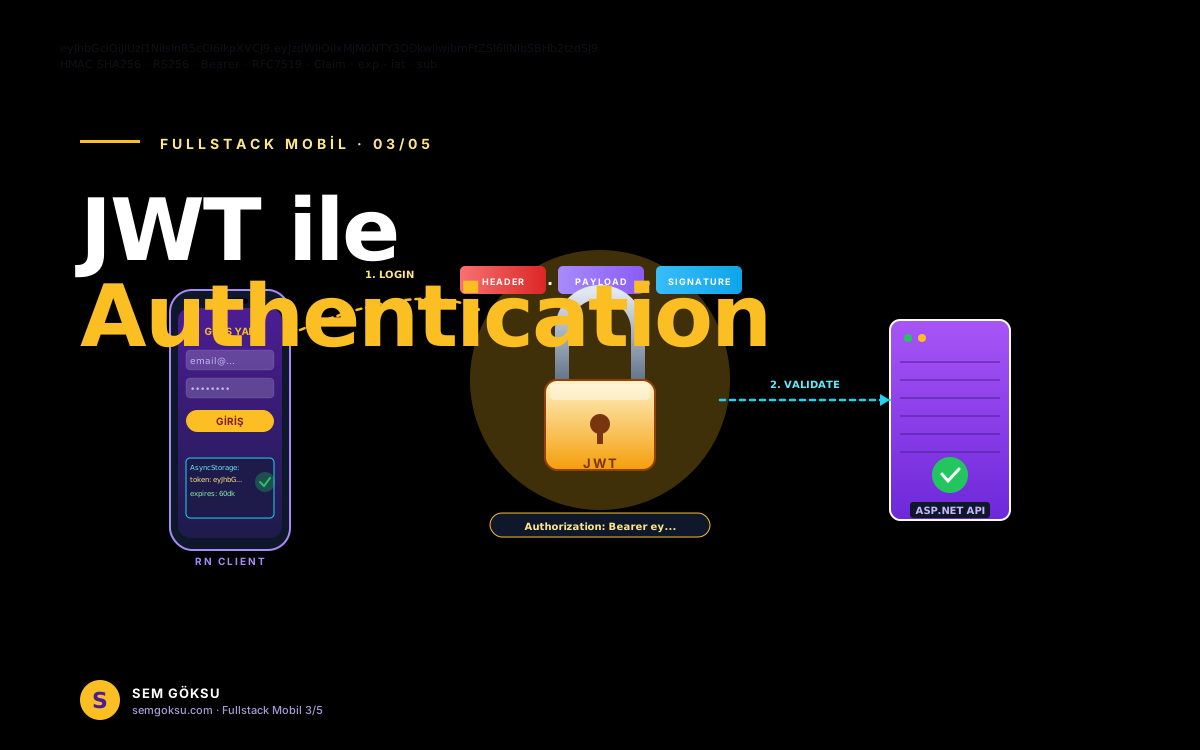
Akışı Görselleştirelim
Login akışı şöyle:
1. Kullanıcı RN app'te e-posta + şifre girer
2. RN → POST /api/auth/login — API bilgileri doğrular
3. API doğruysa JWT token üretip döndürür
4. RN bu token'ı AsyncStorage'a kaydeder
5. Bundan sonraki her istekte Authorization: Bearer <token> header'ı eklenir
6. API her istekte token'ı doğrular, [Authorize] attribute'u olan endpoint'leri korur
Backend: Paketleri Ekleyelim
cd api
dotnet add package Microsoft.AspNetCore.Authentication.JwtBearer
dotnet add package BCrypt.Net-Next
BCrypt şifre hash'leme için. Düz metin şifre asla saklanmaz.
Auth Servisi
// Services/AuthService.cs
using System.IdentityModel.Tokens.Jwt;
using System.Security.Claims;
using System.Text;
using Microsoft.IdentityModel.Tokens;

public interface IAuthService
{
    Task<string?> LoginAsync(string email, string sifre);
    Task<User> RegisterAsync(string kullaniciAdi, string email, string sifre);
}

public class AuthService(AppDb db, IConfiguration config) : IAuthService
{
    public async Task<User> RegisterAsync(string kullaniciAdi, string email, string sifre)
    {
        var existing = await db.Users
            .FirstOrDefaultAsync(u => u.Email == email || u.KullaniciAdi == kullaniciAdi);
        if (existing is not null)
            throw new InvalidOperationException("Bu e-posta veya kullanıcı adı zaten kayıtlı.");

        var user = new User
        {
            KullaniciAdi = kullaniciAdi,
            Email = email,
            SifreHash = BCrypt.Net.BCrypt.HashPassword(sifre),
            Rol = "User"
        };
        db.Users.Add(user);
        await db.SaveChangesAsync();
        return user;
    }

    public async Task<string?> LoginAsync(string email, string sifre)
    {
        var user = await db.Users.FirstOrDefaultAsync(u => u.Email == email);
        if (user is null) return null;
        if (!BCrypt.Net.BCrypt.Verify(sifre, user.SifreHash)) return null;
        return TokenUret(user);
    }

    private string TokenUret(User user)
    {
        var key = config["Jwt:Key"]!;
        var issuer = config["Jwt:Issuer"]!;
        var audience = config["Jwt:Audience"]!;
        var expireMin = int.Parse(config["Jwt:ExpireMinutes"] ?? "60");

        var claims = new[]
        {
            new Claim(JwtRegisteredClaimNames.Sub, user.Id.ToString()),
            new Claim(JwtRegisteredClaimNames.UniqueName, user.KullaniciAdi),
            new Claim(JwtRegisteredClaimNames.Email, user.Email),
            new Claim(ClaimTypes.Role, user.Rol),
            new Claim(JwtRegisteredClaimNames.Jti, Guid.NewGuid().ToString())
        };

        var signingKey = new SymmetricSecurityKey(Encoding.UTF8.GetBytes(key));
        var creds = new SigningCredentials(signingKey, SecurityAlgorithms.HmacSha256);

        var token = new JwtSecurityToken(
            issuer: issuer,
            audience: audience,
            claims: claims,
            expires: DateTime.UtcNow.AddMinutes(expireMin),
            signingCredentials: creds);

        return new JwtSecurityTokenHandler().WriteToken(token);
    }
}
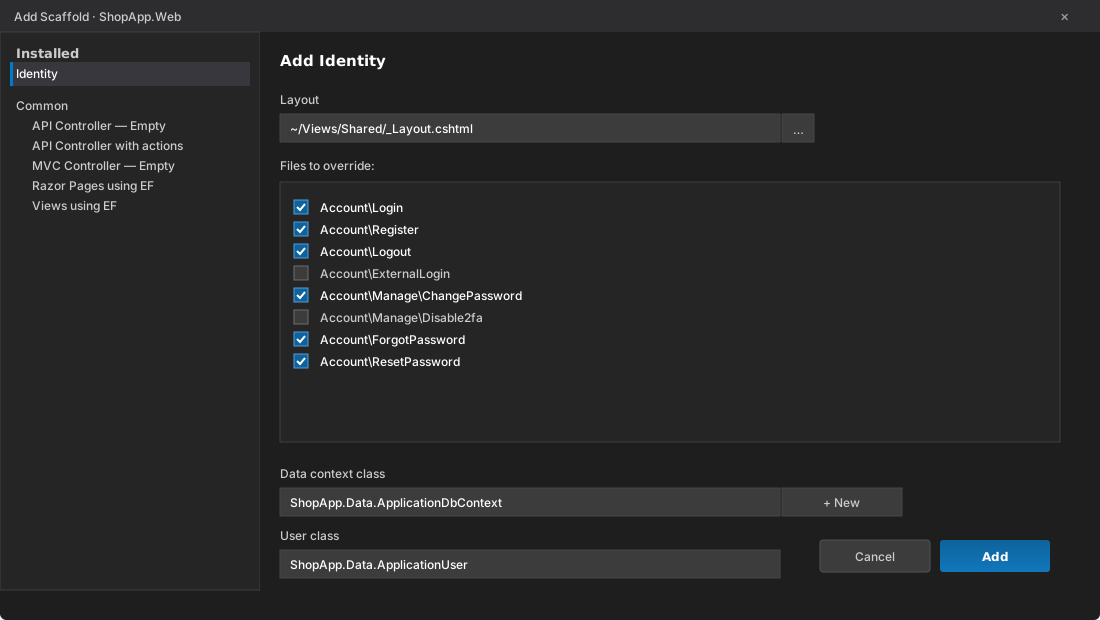
Add Scaffold > Identity - login/register sayfalarini override etmek icin isaretliyoruz.
IDE tarafinda: Visual Studio tarafinda projeye sag tiklayip Add > New Scaffolded Item > Identity diyerek bu dialog acilir. Ozellestirmek istediginiz sayfalari isaretleyip ApplicationDbContext'i seciyoruz.
AuthController
// Controllers/AuthController.cs
public record RegisterDto([Required] string KullaniciAdi, [Required, EmailAddress] string Email, [Required, MinLength(6)] string Sifre);
public record LoginDto([Required] string Email, [Required] string Sifre);
public record AuthResponseDto(string Token, string KullaniciAdi, string Rol);

[ApiController]
[Route("api/[controller]")]
public class AuthController(IAuthService auth) : ControllerBase
{
    [HttpPost("register")]
    public async Task<IActionResult> Register([FromBody] RegisterDto dto)
    {
        try
        {
            var user = await auth.RegisterAsync(dto.KullaniciAdi, dto.Email, dto.Sifre);
            return Ok(new { user.Id, user.KullaniciAdi, user.Email });
        }
        catch (InvalidOperationException ex)
        {
            return Conflict(new { error = ex.Message });
        }
    }

    [HttpPost("login")]
    public async Task<IActionResult> Login([FromBody] LoginDto dto)
    {
        var token = await auth.LoginAsync(dto.Email, dto.Sifre);
        if (token is null) return Unauthorized(new { error = "Geçersiz bilgiler" });
        // Rolü tekrar çekmek yerine token'dan parse edip döneriz — pratikte servisten dönsün daha iyi
        return Ok(new AuthResponseDto(token, dto.Email, "User"));
    }
}
Program.cs'te Auth Pipeline
using Microsoft.AspNetCore.Authentication.JwtBearer;
using Microsoft.IdentityModel.Tokens;
using System.Text;

builder.Services.AddScoped<IAuthService, AuthService>();

var jwtKey = builder.Configuration["Jwt:Key"]!;
builder.Services.AddAuthentication(JwtBearerDefaults.AuthenticationScheme)
    .AddJwtBearer(o =>
    {
        o.TokenValidationParameters = new TokenValidationParameters
        {
            ValidateIssuer = true,
            ValidateAudience = true,
            ValidateLifetime = true,
            ValidateIssuerSigningKey = true,
            ValidIssuer = builder.Configuration["Jwt:Issuer"],
            ValidAudience = builder.Configuration["Jwt:Audience"],
            IssuerSigningKey = new SymmetricSecurityKey(Encoding.UTF8.GetBytes(jwtKey)),
            ClockSkew = TimeSpan.Zero
        };
    });

builder.Services.AddAuthorization();

// ...
app.UseAuthentication();
app.UseAuthorization();
app.MapControllers();
Sıra geldi endpoint'leri korumaya:
[Authorize]
[HttpPost]
public async Task<IActionResult> Olustur([FromBody] PostCreateDto dto)
{
    var userId = int.Parse(User.FindFirstValue(JwtRegisteredClaimNames.Sub)!);
    var post = new Post
    {
        Baslik = dto.Baslik,
        Icerik = dto.Icerik,
        YazarId = userId,
        Yayinda = false
    };
    db.Posts.Add(post);
    await db.SaveChangesAsync();
    return CreatedAtAction(nameof(Getir), new { id = post.Id }, new { id = post.Id });
}

[Authorize(Roles = "Admin")]
[HttpDelete("{id:int}")]
public async Task<IActionResult> Sil(int id) { ... }
Frontend: Mobile Tarafında Auth
RN tarafında AsyncStorage kullanacağız:
cd mobile
npx expo install @@react-native-async-storage/async-storage
npm install axios zustand
Güvenlik Notları
- AsyncStorage şifreli değil: Jailbreak edilmiş telefonlarda okunabilir. Hassas veri için expo-secure-store kullanın.
- HTTPS zorunlu: Production'da asla HTTP kullanmayın, token çalınır.
- Token refresh: JWT'nin süresi dolunca refresh token pattern ile yenileme yapın.
- Logout temizliği: Sadece state'i değil storage'ı da temizleyin.
Özet
Bu bölümde full auth akışı kurduk: backend'de BCrypt + JWT, mobilde Axios interceptor + Zustand store + AsyncStorage. Artık korumalı endpoint'lerimiz ve girişli kullanıcı deneyimimiz var.
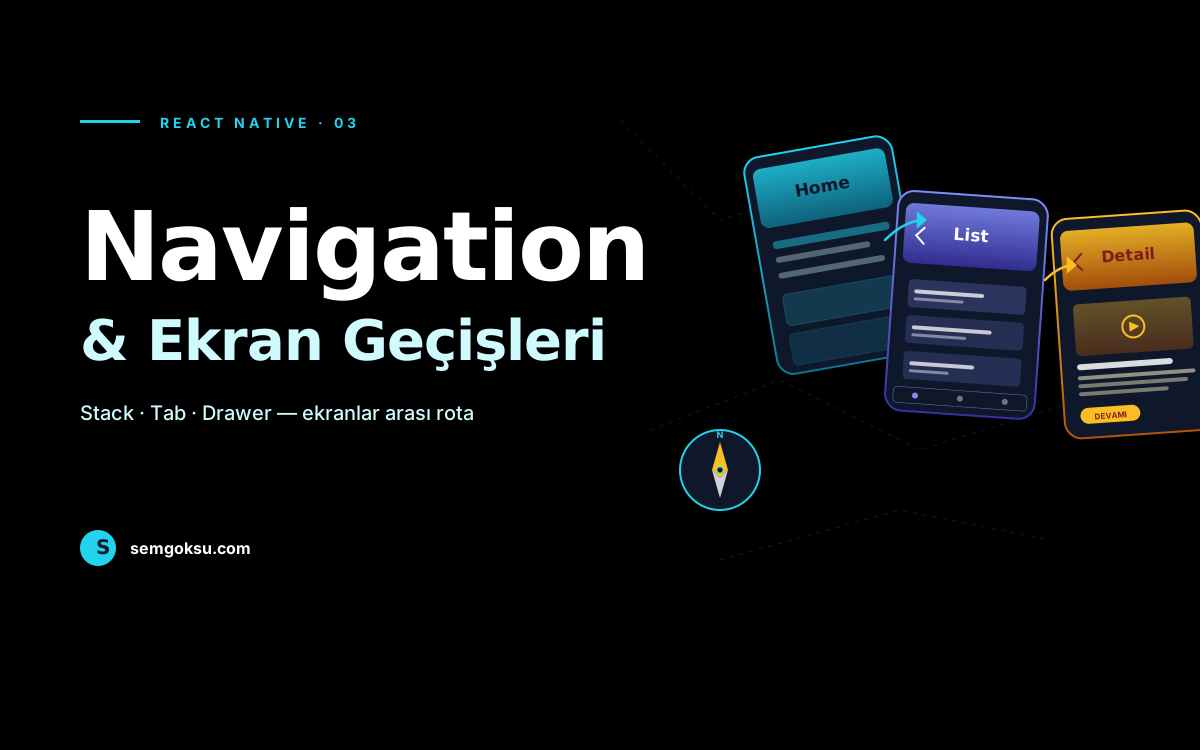
Bir sonraki bölümde UI tarafına yoğunlaşıyoruz: Navigation, ekran akışları, React Query ile data fetching, liste + detay + form ekranları. Başka bir makalede görüşmek üzere...